Integrations
Connecting Your CRM, Accounting Software, and Google Sheets: A Practical Guide
Plan an integration around data ownership, safe handoffs and recovery, using HubSpot, QuickBooks and Apps Script as examples.
Sales, finance and operations often see different versions of the same business activity. Sales sees an opportunity, finance sees an invoice, and operations maintains a spreadsheet to understand what needs attention. Connecting those views can reduce repeated entry, but only if the integration preserves what each record actually means.
This guide uses HubSpot, QuickBooks Online and Google Apps Script as illustrative technologies. It describes a planning approach, not a ready-to-run implementation or a completed client project. Product access, permissions and limits need checking against your own accounts before work begins.
Start with a business question
“Sync everything” is a difficult brief to test. A more useful first question is: “Which approved sales handoffs are still waiting for an invoice record?” Another is: “Can operations see the latest invoicing status without editing finance’s system?”
Write down who needs the answer, how fresh it must be and what action follows from it. A daily review might be adequate for an internal status report. A workflow that controls fulfilment may need a different update schedule and stronger failure handling.
A sales deal being marked won should not automatically be interpreted as payment received, approval to invoice, or permission to begin delivery. Those are separate events. Finance and operations should help define the handoff before any fields are connected.
Give each system a clear responsibility
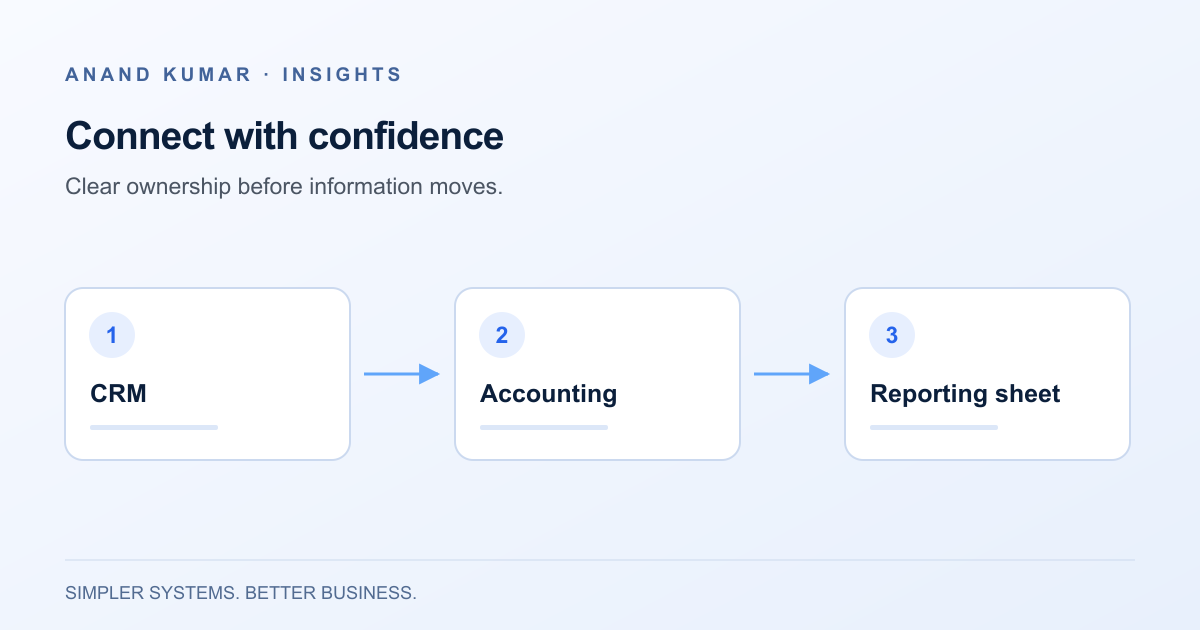
For an illustrative arrangement, HubSpot could own sales contacts, companies and deal stages. QuickBooks could own accounting records and invoice status. Google Sheets could provide a controlled reporting view with internal notes.
That does not mean every field should flow in both directions. Decide the authoritative source for each field. For example, changing a billing detail in finance should not be overwritten by an older CRM value on the next refresh.
Keep manually maintained spreadsheet notes in separate columns or a separate table, joined by a stable identifier. Do not rely on row position: sorting the sheet should not attach a note to the wrong customer.
Map identifiers before mapping names
A business name is not a reliable unique key. It can be spelled differently, changed, or shared by more than one record. Email addresses also change and may belong to several people in a shared inbox.
Create an explicit mapping between source identifiers. In a hypothetical handoff, that mapping might connect a CRM company ID, an accounting customer ID and a reporting record ID. A deal can have multiple invoices, so keep invoice identifiers separately instead of assuming a one-to-one relationship.
Document which fields are required, what each status means, and how missing values are handled. Include currency, date format and time zone where relevant. A blank invoice reference should remain an unresolved mapping, not become evidence that no invoice exists.
Begin with a read-only reporting flow
A useful pilot reads the necessary records, validates their identifiers and produces a limited reporting view. It does not create invoices or change customer details.
A hypothetical sequence is:
- Read the agreed set of approved sales handoffs.
- Match them to verified customer and invoice identifiers.
- Read the relevant accounting status.
- Update the reporting rows without touching manual notes.
- Record the refresh time and list unresolved records separately.
Ask the business owners to compare the report with the source systems. Include changed names, unmatched customers, partial payments and multiple invoices in the test set. Only consider write-back after the read-only flow is trusted and its approval rules are clear.
Choose the connection method deliberately
An existing supported connector may be sufficient if it covers your entities, mappings and exception handling. Confirm its actual behaviour rather than assuming a connector’s name guarantees the workflow you need. Review access, recurring cost and the ability to export or troubleshoot its configuration.
Google Apps Script can be useful for bounded, Google Workspace-centred workflows. However, its services have quotas and execution limits that can interrupt a run. Installable triggers execute under the account of their creator, so ownership and continuity need planning. See Google’s quota guidance and installable trigger documentation.
For larger volumes, complex recovery or stronger operational monitoring, a separately managed integration service may be more suitable. Choose based on workload and support requirements, rather than the appeal of a small first script.
Treat access and failures as part of the design
QuickBooks Online connections use authorization mechanisms documented in Intuit’s OAuth 2.0 guide. HubSpot’s authentication options and usage limits depend on the application and account context; consult its API usage guidance. Avoid hard-coding assumptions about limits into the business process.
Keep tokens and credentials out of spreadsheet cells, source files and ordinary logs. Restrict access to both the integration project and its configuration. Someone who can edit the automation may be able to access the data or credentials it uses; hiding a sheet is not an access-control strategy.
Design retries so repeating a handoff does not create a duplicate invoice or customer. Store an operation identifier, distinguish temporary errors from invalid data, and stop repeated failures for human review. A partial run needs a clear recovery point. A log saying “started” is not proof that the destination was updated.
Agree on ownership before launch
Name the person who handles failed runs and the person authorized to resolve accounting discrepancies. Record how to reconnect an expired authorization, pause the workflow and reconcile missed records after an outage. Test those steps with non-production or appropriately anonymized data.
The first deliverable should be a reliable answer to a specific question, with traceable records and visible exceptions. More automation can follow once that foundation holds. Explore API integration and Google Workspace services, or read about automating existing business processes before choosing the first handoff.