Software strategy
Spreadsheet, No-Code Tool, or Custom Web Application: Which Fits Your Business?
Choose the right level of software for your workflow by weighing process stability, permissions, integration and ongoing ownership.
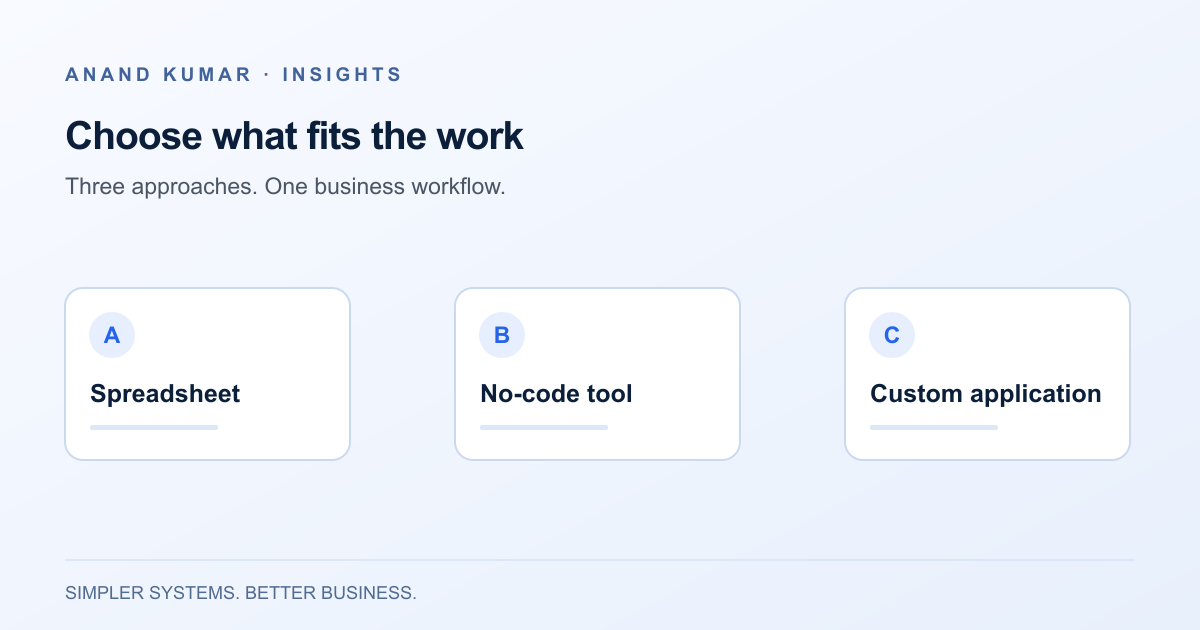
A new operational problem often produces an immediate software question: should the team build a spreadsheet, configure a no-code tool, or commission a custom application?
A better starting point is the work itself. Who performs it? Which decisions require judgment? What information changes hands? What happens when somebody makes a mistake? The right tool is the one that supports that process with an acceptable level of cost, risk and ongoing effort.
There is no universal winner. Each approach can be sensible, and moving to a more complex option too early can make a changing process harder to understand.
Use a spreadsheet to explore and organise
Spreadsheets are particularly useful when the structure of the work is still evolving. A small team can change columns, test a calculation and compare scenarios without waiting for a development cycle.
For example, a hypothetical service team might track incoming requests in a shared workbook while it learns which fields and categories matter. That can be a reasonable starting point if access is controlled, ownership is clear and the consequences of an editing mistake are manageable.
The limits tend to appear around workflow and control. A cell can hold a status, but does everyone agree who may change it and what must happen next? A workbook can record an approval, but does it reliably distinguish a recorded decision from an editable note?
Before replacing a spreadsheet, consider whether consistent input rules, a named owner and a clearer structure would solve the problem. Avoid treating spreadsheet use itself as evidence that a business is behind.
Use a no-code tool when its model fits the workflow
A configurable tool can provide forms, structured records, views and automations without building every interaction from scratch. It may suit a process that needs more consistency than a workbook but still fits the platform’s supported model.
Imagine a team collecting internal requests with a standard set of fields and a straightforward review process. A no-code tool may provide enough structure, provided its access controls, history and automation behaviour meet the team’s requirements.
Evaluate the difficult cases early. Can a request be reassigned? What happens when an approval is withdrawn? Can one user see a record while another cannot? How does the tool handle a failed integration? Capabilities differ across products and plans, so confirm them in the current product documentation and a representative trial.
Configuration still needs maintenance. Someone must understand the rules, review changes and keep the platform’s account and connections under business ownership. A workflow built visually can become just as difficult to follow as an undocumented script.
Consider a custom application for requirements that do not fit
A custom web application may make sense when the workflow has distinctive rules, several user roles, complex integrations or a specific customer-facing experience. It gives you more control over how the system behaves, but that control comes with responsibility.
For a hypothetical operations portal, requirements might include record-level permissions, a traceable approval history, document handling and integration with existing systems. If a configurable tool cannot meet those requirements without fragile workarounds, a custom application deserves consideration.
Custom development requires more than the first build. Plan for hosting, monitoring, backups, security updates, support and future changes. Agree who owns the source code and operational accounts, how another developer could take over, and what documentation accompanies the system.
A custom application is not automatically more reliable or secure than an established platform. Those qualities depend on implementation, testing and ongoing operation.
Compare the options using the same questions
Start with process stability. If the team is still deciding how requests should be handled, a lightweight prototype may reveal more than a detailed specification. If the rules are stable and the workflow is central to daily operations, stronger structure may be worthwhile.
Next, consider access and accountability. Identify who may view, create, change, approve and delete each kind of record. Check whether you need a dependable audit history and how you would investigate an incorrect change.
Then examine integration needs. List the exact information that must move between systems, its direction and its required frequency. Do not assume that a platform offering a connector supports every record type or the recovery behaviour you need. The CRM and accounting integration guide explains how to scope those handoffs.
Finally, compare total ownership. Include subscription and usage charges where applicable, configuration effort, migration, training and ongoing support. For a custom system, include recurring technical maintenance. Avoid comparing a platform’s ongoing costs with only a custom application’s initial development quote.
Test a representative slice, including failure
Choose one workflow that includes a typical request and at least one important exception. Have actual users try it using synthetic or appropriately anonymized data.
Test more than the successful path. Enter incomplete information, change a record after approval, repeat an import and remove a user’s access. Ask how the system recovers when a connection is unavailable and how the business continues working during an outage.
Agree on what would make the pilot acceptable before comparing options. Relevant criteria might be the ability to enforce a required review, export complete records, explain a status change and recover from a failed handoff. This makes the decision less dependent on the polish of a product demonstration.
Keep an exit path
Whichever option you choose, retain usable exports and document the data structure. For a configured tool, record important automation rules and account ownership. For a custom system, include deployment instructions, backup procedures and a handover plan.
A staged approach often makes sense: explore the process in a spreadsheet, validate a structured workflow, and invest in custom software only where the requirements justify it. Moving through those stages is optional, not a mandatory maturity ladder.
The takeaway: choose the least complex approach that meets the real requirements and can be maintained responsibly. If the trade-offs are unclear, software consulting and development services can help define the workflow and test the options before committing to a larger build.